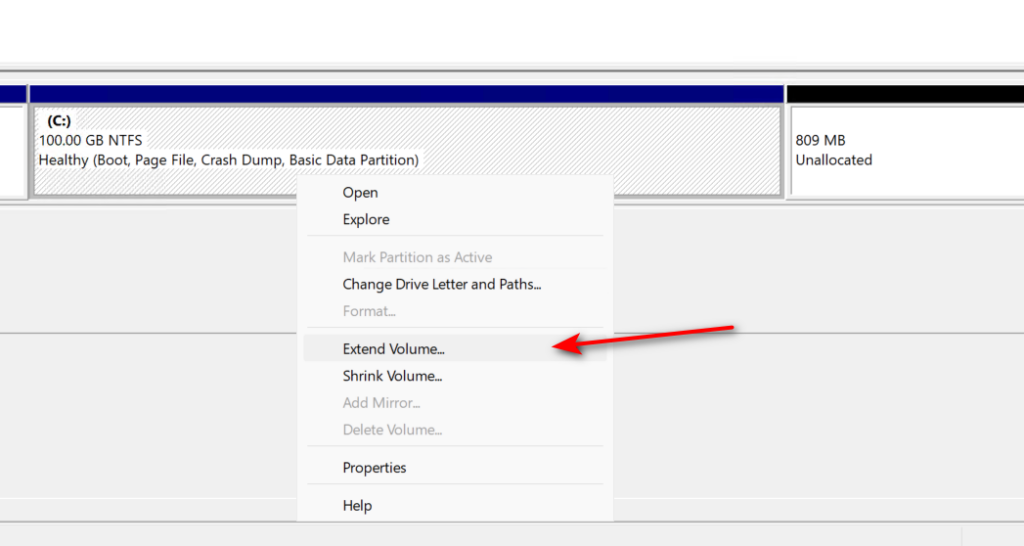
If you have added hard disk space, but can’t extend partition for the Windows just new built, it shows grey like below,
Then you need to deleted the Recovery partion by doing following steps.
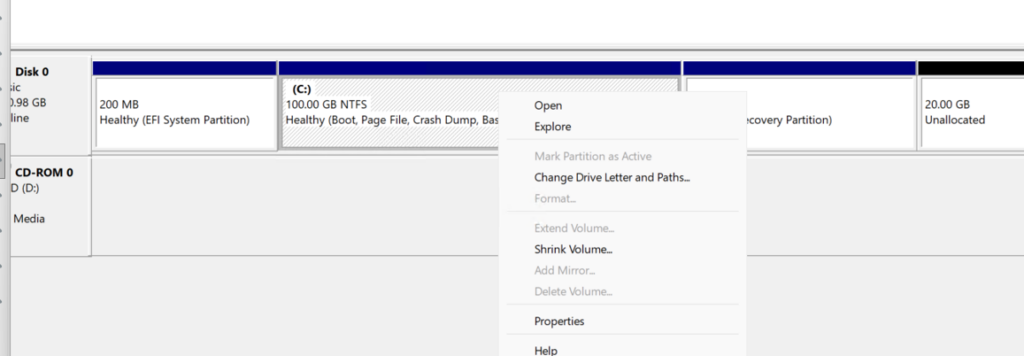
- You can’t edit the “Recovery partition” in Disk manager panel, need do it with command. Open cmd, input command as below.
Microsoft Windows [Version 10.0.26100.32522]
(c) Microsoft Corporation. All rights reserved.

C:\Users\Administrator>diskpart

Microsoft DiskPart version 10.0.26100.1150

Copyright (C) Microsoft Corporation.
On computer: WIN-9J8ODLLIQ3O

DISKPART> list disk

  Disk ###  Status         Size     Free     Dyn  Gpt
  --------  -------------  -------  -------  ---  ---
  Disk 0    Online          101 GB  1024 KB        *

DISKPART> select disk 0

Disk 0 is now the selected disk.

DISKPART> list partition

  Partition ###  Type              Size     Offset
  -------------  ----------------  -------  -------
  Partition 1    System             200 MB  1024 KB
  Partition 2    Reserved            16 MB   201 MB
  Partition 3    Primary             99 GB   217 MB
  Partition 4    Recovery           807 MB   100 GB

DISKPART>- Then select and delete the recovery partition.
DISKPART> select partition 4

Partition 4 is now the selected partition.

DISKPART> delete partition override

DiskPart successfully deleted the selected partition.

DISKPART>- After deletion, can extend the partition for C drive.